E-Prescribing in Modern Practices: How Digital Prescriptions Strengthen Safety, Compliance, and Workflow
Electronic prescribing, commonly known as e-prescribing, has become an important part of modern medical practice. Instead of relying on paper prescriptions, phone calls, or faxed orders, healthcare providers can use e-prescribing software to create and securely send prescriptions directly to a patient’s chosen pharmacy.
For medical practices, the benefits extend beyond simply replacing paper. When e-prescribing software is integrated with practice management and clinical systems, prescribing can become a connected part of the patient journey. Providers can access relevant patient information, manage medications, communicate with pharmacies, and maintain accurate records without relying on multiple disconnected processes.
What Is E-Prescribing?
E-prescribing is the electronic process of creating, transmitting, and managing prescriptions. A healthcare provider selects the medication, dosage, instructions, and other relevant details within a digital system before electronically sending the prescription to the pharmacy.
Modern e-prescribing software can connect prescribing with a patient’s electronic health record or medical record. This allows providers to view information such as medication history, allergies, diagnoses, and other clinical details when making prescribing decisions.
Rather than creating another standalone task for providers and staff, integrated e-prescribing can become part of the existing practice workflow. This can help reduce duplicate data entry and make medication information easier to access throughout the patient’s care.
How E-Prescribing Software Works
The process typically begins when a provider accesses a patient’s record during or after a consultation. The provider can review the patient’s current medications, allergies, medical history, and other relevant information before selecting a prescription.
Once the medication has been selected, the provider enters details such as dosage, frequency, route, and duration. Depending on the system, clinical decision-support features can identify potential issues such as drug interactions, allergies, duplicate therapies, or contraindications.
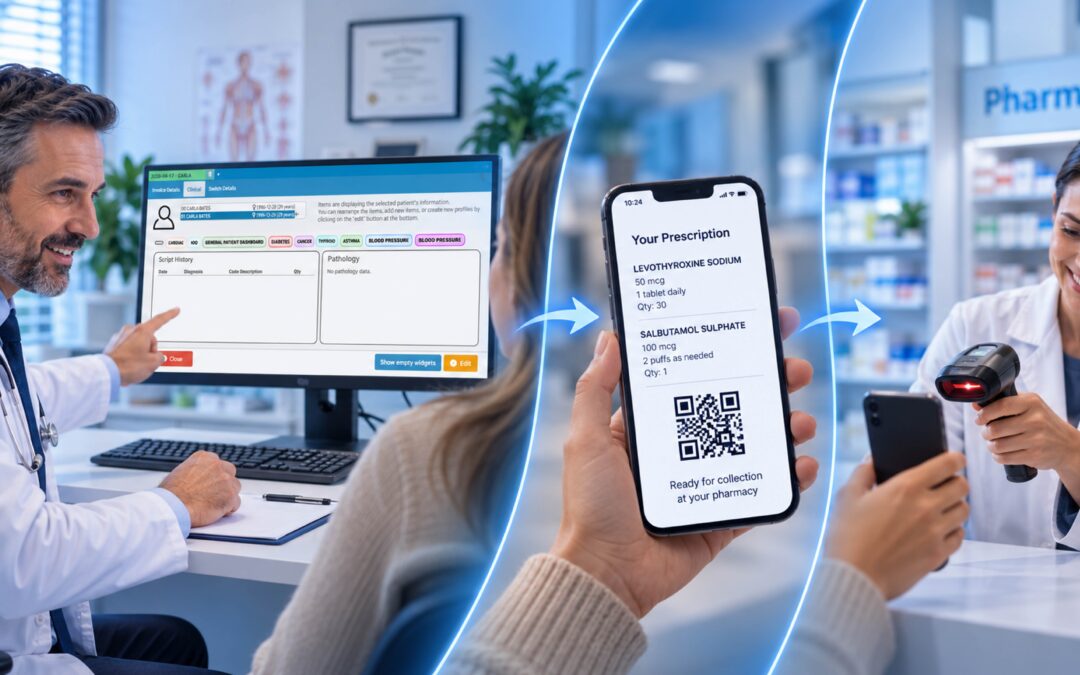
After reviewing the prescription, the provider electronically signs it and selects the patient’s preferred pharmacy. The prescription is then transmitted securely through the appropriate electronic network or connection.
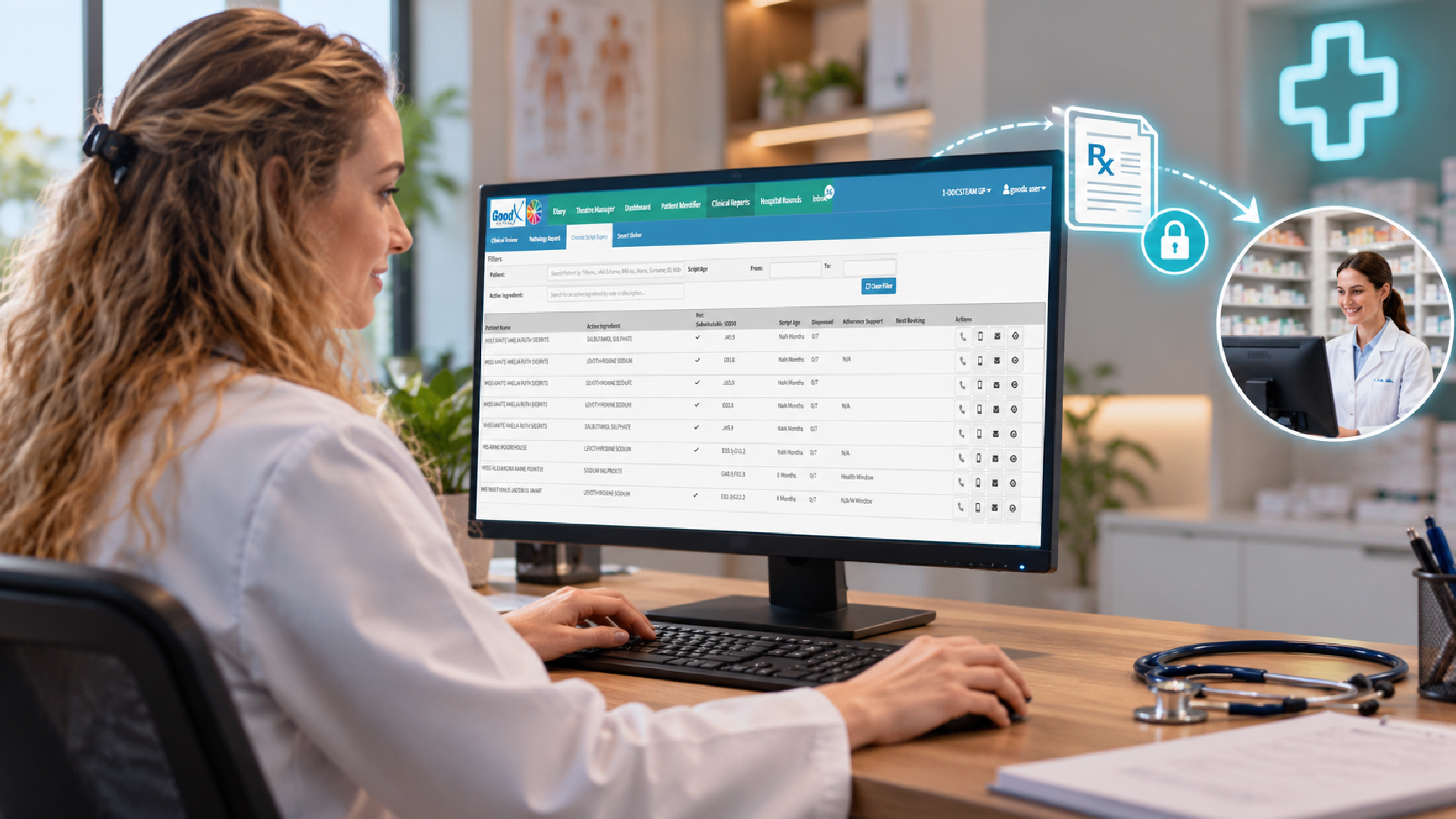
Refills and renewals can also be managed digitally. When a pharmacy or patient submits a refill request, the provider can review the request and approve, modify, or decline it within the system.
Because prescription information is retained as part of the patient’s digital record, providers can refer back to previous medications during future consultations. This creates a more complete view of the patient’s medication history and can support better-informed care.
Why E-Prescribing Matters for Medical Practices
One of the biggest advantages of e-prescribing software is the potential to improve medication accuracy. Traditional paper prescriptions can create problems when handwriting is difficult to read, information is incomplete, or a prescription is misplaced. Electronic prescriptions use structured digital information, helping reduce some of these avoidable issues.
Many systems also include safety checks that can alert providers to potential medication interactions, allergies, duplicate therapies, or other concerns before a prescription is sent. These features can give providers additional information to consider when making prescribing decisions.
E-prescribing can also make everyday practice workflows more efficient. Staff may spend less time handling paper prescriptions, calling pharmacies, correcting errors, or responding to routine refill requests. By moving these processes into a connected digital workflow, practices can reduce administrative work and give staff more time to focus on patient care and other priorities.
Another benefit is improved continuity of care. Prescriptions can be recorded within the patient’s medical history, giving providers a clearer understanding of previous and current medications. This can be particularly valuable when patients see multiple providers or manage ongoing health conditions.
Key Features to Look for in E-Prescribing Software
Not all e-prescribing solutions provide the same functionality. Medical practices should consider how well a system fits into their existing clinical and administrative workflows.
Integration with Practice Management and Clinical Systems
E-prescribing works best when it is connected to the systems a practice already uses. Integration with patient records, scheduling, clinical documentation, billing, and other practice management functions can reduce the need to enter the same information in multiple places.
A connected system also allows providers to access relevant patient information without constantly switching between applications.
Clinical Decision Support
Safety features are an important consideration when choosing e-prescribing software. Depending on the system, these may include drug-drug interaction alerts, drug-allergy warnings, contraindication checks, duplicate therapy alerts, and dose-related guidance.
The quality and configuration of these alerts matter. Too many unnecessary warnings can contribute to alert fatigue, while important clinical warnings need to remain visible and actionable.
Pharmacy Connectivity
Practices should consider whether an e-prescribing system connects with the pharmacies their patients commonly use. This can include local pharmacies, national pharmacy networks, mail-order pharmacies, and, where applicable, in-house dispensing systems.
Broad pharmacy connectivity can make the prescription process more convenient for both providers and patients.
Refill and Renewal Management
Refill management is another useful capability. Instead of handling requests through multiple phone calls, messages, or paper processes, practices can manage refill requests through a centralized digital workflow.
Providers can review the patient’s medication information, approve or modify requests, and maintain a record of the activity. This can make recurring medication management easier for both clinical and administrative teams.
Reporting and Visibility
Reporting tools can provide practice leaders with greater visibility into prescribing activity. Depending on the system, reports may help practices review prescribing patterns, monitor controlled substance activity, identify trends, and support internal quality improvement.
Having access to accurate prescribing data can help practices make more informed operational and clinical decisions.
E-Prescribing, Security, and Compliance
Security is an important consideration whenever a medical practice handles patient and prescription information electronically.
E-prescribing software should use appropriate security measures to protect sensitive information during transmission and storage. Access controls can help ensure that users only have access to the information and functions required for their roles, while audit trails can provide a record of important actions taken within the system.
Regulatory requirements also vary depending on where a practice operates. Some jurisdictions require electronic prescribing for certain medications or prescription types, while controlled substances may have additional requirements.
For example, in the United States, electronic prescribing of controlled substances, commonly referred to as EPCS, can involve requirements such as identity verification, two-factor authentication, and detailed audit records.
Practices should always confirm the requirements that apply to their specific location, specialties, and prescribing activities. Choosing software designed to support applicable regulations can make it easier to incorporate compliance into everyday workflows rather than treating it as a separate administrative responsibility.
Implementing E-Prescribing in Your Practice
Introducing e-prescribing software does not have to disrupt the way a practice operates. A gradual implementation can give staff time to understand the new workflow and identify areas that need adjustment.
Start by reviewing how prescriptions are currently handled. Look at where paper, fax, phone calls, manual data entry, or other processes create delays or opportunities for errors.
The next step is to configure the software around the practice’s existing workflows. This may include setting up user permissions, medication lists, pharmacy connections, safety alerts, and integration with clinical and practice management systems.
Training is equally important. Providers need to understand how to create and approve prescriptions, while administrative and clinical staff should know how to manage refill requests, pharmacy communications, and exceptions.
Once the system is live, practices can monitor how it is performing. Measures such as prescription turnaround times, pharmacy callbacks, refill processing, and workflow issues can help identify opportunities for improvement.
Choosing the Right E-Prescribing Software
The right e-prescribing solution should support the way your medical practice actually operates. Rather than focusing only on individual features, consider how well the software fits into your overall practice management environment.
Look for strong integration with your patient records and clinical workflows, reliable pharmacy connectivity, useful medication safety features, secure access controls, and appropriate reporting capabilities.
Compliance should also be part of the evaluation process. If your practice prescribes controlled substances, confirm that the solution supports the relevant electronic prescribing requirements in your jurisdiction.
It is also worth considering usability. Software may offer extensive functionality, but if providers find it difficult or time-consuming to use, adoption can become a challenge. A live demonstration using realistic practice scenarios can help your team understand how the software will work in everyday situations.
Finally, consider the overall cost of ownership. Look beyond the initial subscription and review factors such as implementation, integrations, additional prescribing functionality, support, training, and any usage-based costs.
Where GoodX Fits Into E-Prescribing
For medical practices, e-prescribing is most effective when it forms part of a broader practice management workflow rather than operating as a completely separate system.
GoodX helps practices bring key administrative and clinical processes together within one connected environment. By integrating prescribing into the wider practice workflow, healthcare professionals can spend less time moving between disconnected systems and more time managing patient care.
With the right e-prescribing capabilities in place, practices can connect medication management with patient records, clinical documentation, billing, reporting, and other day-to-day practice functions. This creates a more streamlined workflow where information can move between different parts of the practice without unnecessary duplication.
For practices looking to modernize their operations, combining e-prescribing with comprehensive practice management software can help create a more efficient, connected, and patient-focused experience.
The Bottom Line
E-prescribing software is more than a digital replacement for paper prescriptions. For modern medical practices, it can connect medication management with the broader clinical and administrative workflow.
By helping providers create accurate prescriptions, access medication information, communicate electronically with pharmacies, manage refills, and maintain clear digital records, e-prescribing can support safer and more efficient care.
When integrated with practice management and clinical systems, e-prescribing becomes part of a connected practice workflow rather than another standalone tool. For practices looking to reduce manual processes while improving medication management and the patient experience, it can be an important component of a modern healthcare technology strategy.
Contact our team to book your free GoodX demo.
Disclaimer: This article is provided for general informational and educational purposes only. While GoodX Software takes reasonable care to ensure that the information is accurate and current at the time of publication, laws, regulations, industry standards, healthcare policies and technology may change. The content should not be regarded as medical, legal, financial or other professional advice. Readers should verify information relevant to their circumstances and consult an appropriately qualified professional where necessary. GoodX Software accepts no responsibility for decisions made or actions taken solely on the basis of this content.